From Source to Snap: Bringing Krita to Core26
Sometimes a successful build is more than just a successful build. Sometimes it validates months of engineering, experimentation, debugging, and the occasional moment of wondering why something that should work doesn’t.
Today was one of those days.
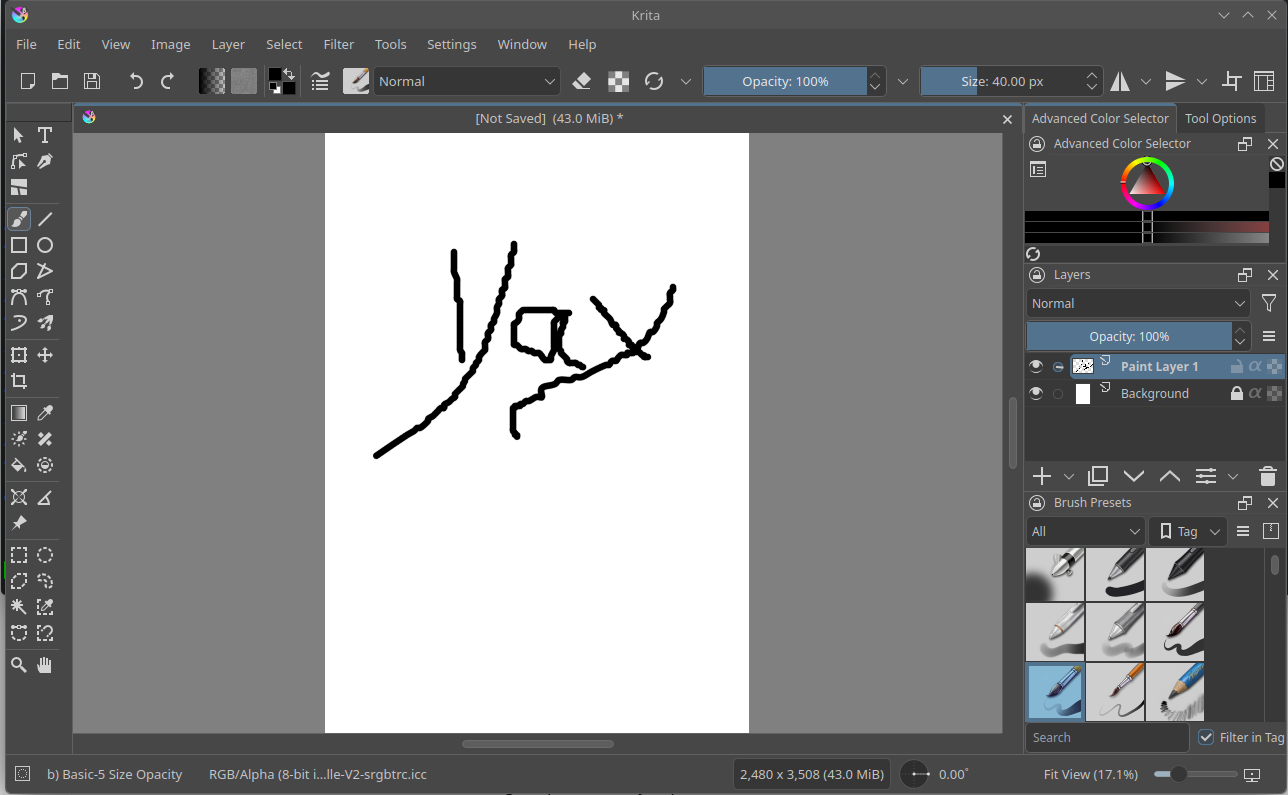
I’m happy to report that Krita 5.3.4.2 has successfully built, packaged, installed, and run as a Core26 snap using my generate-snap-applications workflow.
And perhaps most importantly: it works.
It launches, opens files, and saves them.
That’s the kind of result worth celebrating.
The Bigger Goal
The goal behind generate-snap-applications has never been simply to produce another way to package KDE applications.
I wanted a workflow that could take much of the manual work out of assembling application-specific Snapcraft manifests and dependency configurations, while making KDE Builder responsible for what it does best: resolving dependencies and building KDE software.
The idea is to keep the responsibilities clear:
- KDE Builder handles dependency resolution, source preparation, building, and installation.
- The generated configuration describes the application and its dependencies.
- Snapcraft packages the resulting installation tree into a snap.
- Core26 and the KDE SDK infrastructure provide the shared build and runtime environment.
The important distinction is that Snapcraft shouldn’t have to compile the application all over again. It should package the work KDE Builder has already completed.
That separation is central to the design.
The Krita Milestone
Krita was a particularly useful test case.
It’s a substantial application with a significant dependency tree, and getting it through the complete workflow exercised several parts of the system.
The process included:
- Resolving the application and dependency configuration.
- Preparing and building the required source projects with KDE Builder.
- Installing the resulting files into the dedicated KDE Builder prefix.
- Generating the Snapcraft manifest.
- Preparing the manifest to reuse locally installed Core26 and KDE SDK snaps.
- Packaging the application with Snapcraft.
One of the more interesting parts of this work involved MLT.
Krita’s build exposed problems with installed CMake include directories in MLT and MLT++. The headers were present, but the exported include paths weren’t quite right for downstream consumers.
That meant examining the actual installed header layout, correcting the target include directories, and getting the patch lifecycle right so patches could be reversed and reapplied cleanly around KDE Builder’s source preparation.
It’s a good example of why this workflow needs to handle more than just lists of packages. Real application builds expose real integration problems, and the tooling needs to manage them reliably.
Keeping the Build and Packaging Separate
Once KDE Builder completed the build and installation, the workflow moved into its third phase: Snapcraft packaging.
The generated manifest was prepared to reuse the already-installed Core26/KDE SDK snaps. The unnecessary SDK build-snap entries were removed for the local packaging run, while the expanded KDE runtime integration was preserved.
Krita compiled successfully in approximately 19 minutes. Snapcraft then packaged the installed application without compiling the application sources again.
The result:
krita_5.3.4.2_amd64.snap
And then came the part that matters most.
I installed it and tested it.
Krita loaded. It opened files. It saved files.
Success!
This Isn’t Just About Krita
Krita is the milestone, but it isn’t the only application going through this work.
Several other KDE applications have also been built as part of the ongoing development and validation of this workflow. They’re now available in the --edge channel for testing.
A few honorable mentions:
- Alligator — KDE’s feed reader.
- Elisa — KDE’s music player.
- Angelfish — KDE’s web browser.
- Gwenview — KDE’s image viewer.
Each application brings its own dependencies, build requirements, and integration challenges. Working through them helps expose weaknesses in the generation process and makes the overall system more capable.
These builds are part of the testing effort, and feedback is welcome!
What’s Next?
There’s still plenty to do.
The next steps include continuing validation across the applications, improving the generation process, and expanding the number of KDE applications that can use this workflow.
But the important thing is that the complete pipeline is now working with a substantial application:
KDE Builder → Installed Application Tree → Generated Snapcraft Manifest → Core26 Snap
And we’re doing it without asking Snapcraft to rebuild the application.
A Little Perspective
This project has involved a lot of moving pieces: KDE Builder, Python tooling, dependency definitions, CMake, Snapcraft extensions, Core26 SDKs, and plenty of debugging.
There have been broken builds, missing dependencies, patch problems, and more than a few rounds of going back to the drawing board.
But today, Krita made it through the entire process.
One more application packaged. One more validation of the architecture. And a few more snaps ready for testing.
Krita 5.3.4.2 is built, installed, and working on Core26.
On to the next one!
 Donate